- Tools Needed
- Description
- View From Turn Admin: Adverse
- Casework: Entering the applicant's Zip Code in Flask
- Casework: Adding a NEW Zip Code in Flask
Tools Needed
Flask, Turn Admin
Description
If city and state are not showing in Turn Admin, the zip code will need to be added to Flask.
View From Turn Admin: Adverse
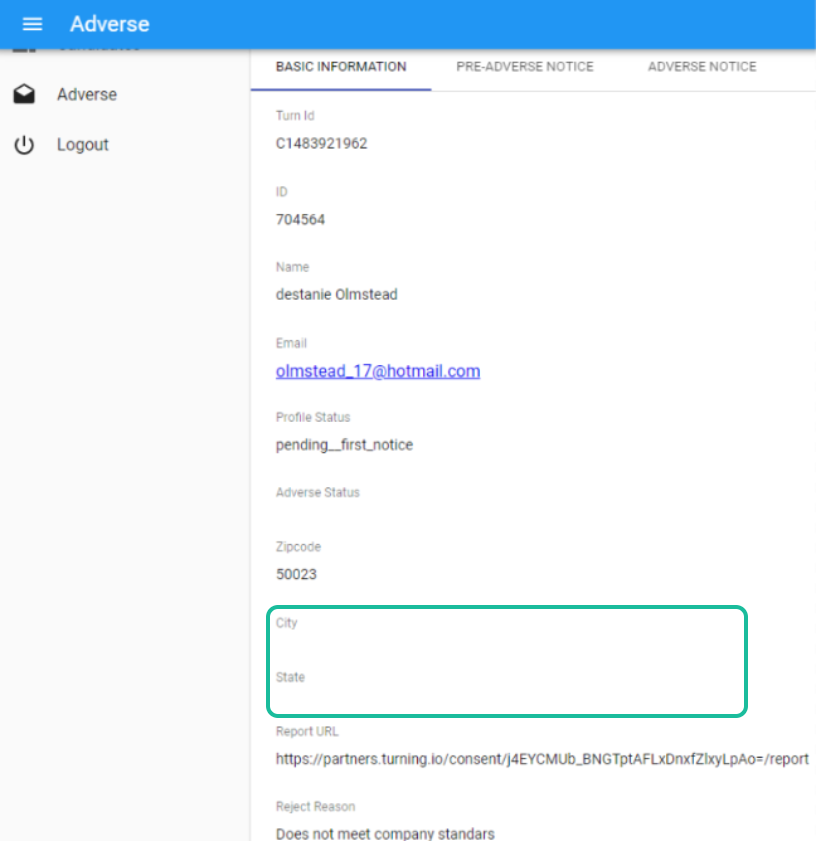
In the Adverse section of Turn Admin, the City and State sections are blank.
Casework: Entering the applicant's Zip Code in Flask
Step 1: Locate the applicant in Flask
- Navigate to Organization > Partner Worker
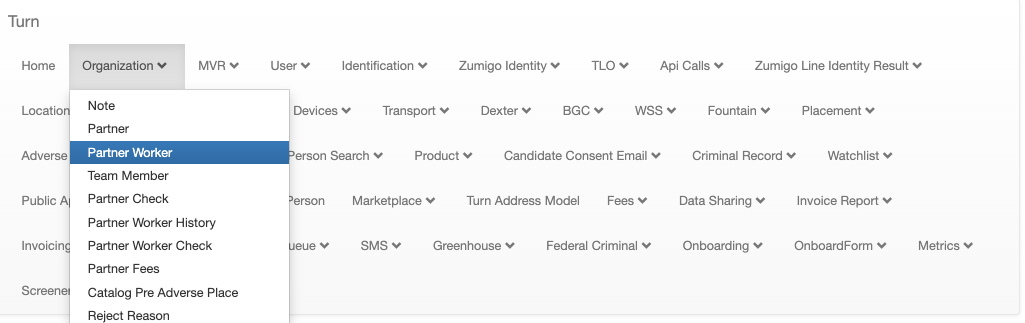
- Add Filter > Turn ID
- Enter the Turn ID and press APPLY

Step 2: Edit the applicant's Zip Code
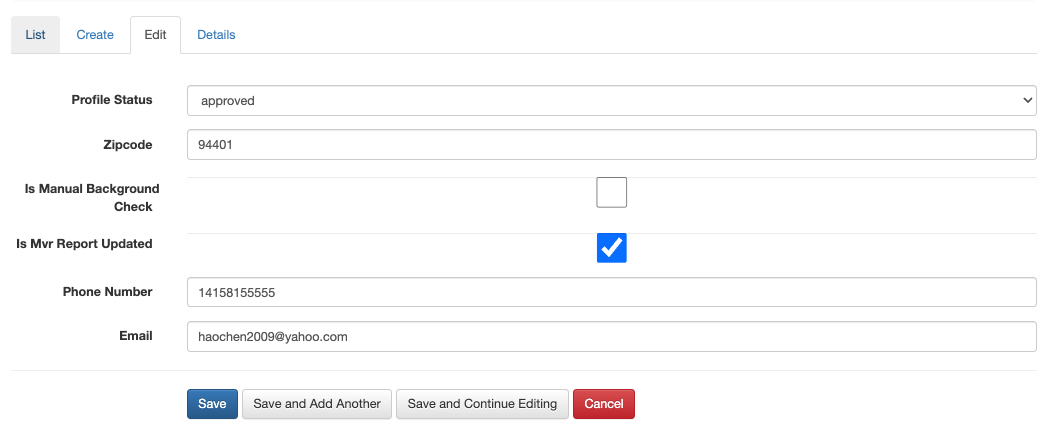
- To EDIT the applicant's profile, click the pencil icon,

- Enter the applicant's zip code (found in Turn Admin) in the correct field and press SAVE.
Step 3: Refresh Turn Admin
- If the city and state are shown, you're done!
- If the city and state are still not showing, proceed to the next process.
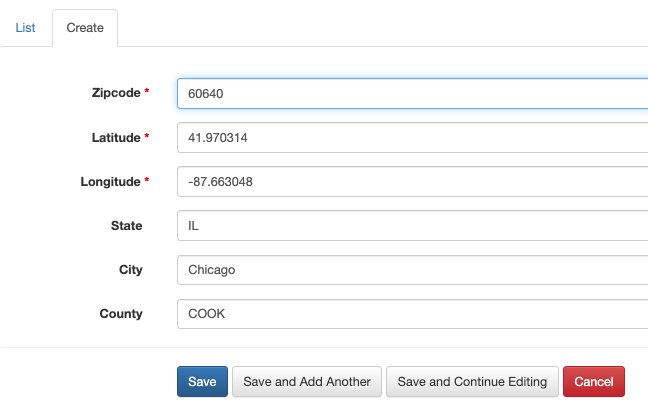
Casework: Adding a NEW Zip Code in Flask
Step 1: Create a Zip Code
- Navigate to Marketplace > Zipcode
- Click CREATE
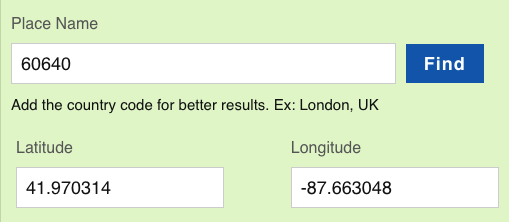
- Enter the applicant's zip code in the Zip Code field
- Go to https://www.latlong.net/ to obtain the Latitude and Longitude.
- Enter the State in all CAPS, (IL, MI, NY, CA, OK, etc)
- Enter the City with the first letter capitalized, (Chicago, Flint, Detroit, Houston, etc)
- Enter the County in all CAPS, (COOK, POLK, SAGINAW, etc)
- Please follow these guidelines for County:
- ALL CAPS
- Do not include "County." Cook County should be entered as simply COOK.
- Do not include spaces before or after the entry.
- Please enter the county name exactly as it shows in our database.
- If you need help, ask in #turn-operations.
- Please follow these guidelines for County:
- Click SAVE
Step 2: Confirm that the zip code was added successfully to the database
- Navigate to Marketplace > Zipcode
- Go to List
- Scroll to the last page, by clicking ". The new zip code should be present.

Was this article helpful?
That’s Great!
Thank you for your feedback
Sorry! We couldn't be helpful
Thank you for your feedback
Feedback sent
We appreciate your effort and will try to fix the article