The Problem:
If a Compliance Review is completed, but the profile is set to review, a timeout may occur causing it to move into Manual Mode.
This appears to be happening with our E2E Partners with Compliance Review. This includes Papa.
The Solution:
Review the profile, turn off manual mode and resume checks.
Casework:
Step 1: Search the Turn ID in Turn Admin and in Freshdesk
- Look for existing tickets, if the ticket is currently in Manual Mode, there should be another ticket that was automatically generated:
- Subject: Manual background check - Partner - TurnID.
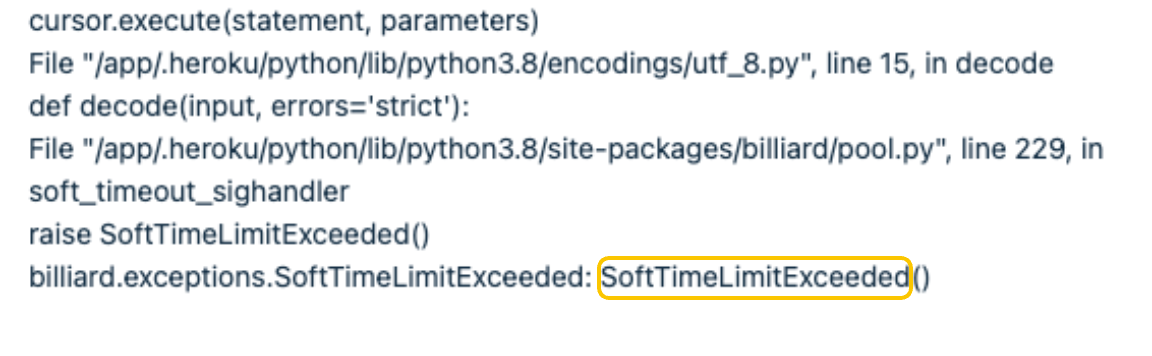
- Body: The email will be mostly code, but the last phrase is an error message that we use to determine the solution. In this case, it is likely, SoftTimeLimitExceeded.
- Please merge this ticket into your own.
Step 2: Review the Partner Dashboard
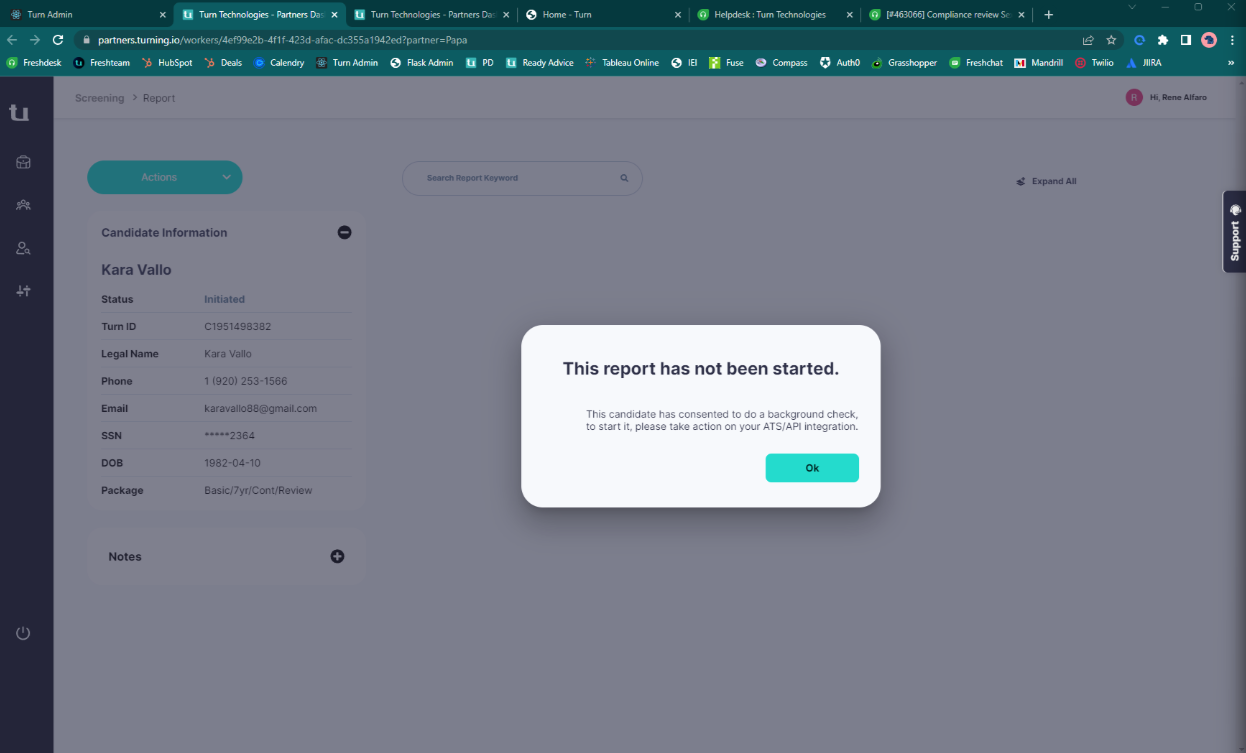
- When the ticket entered manual mode, the partner dashboard will have the following error message:
- This report has not been started. The candidate has consented to do a background check. To start it, please take action on your ATS/API integration.
Step 3: Remove the manual flag via Flask.
- In Flask, navigate to Organization > Partner Worker
- Search using the Turn ID.
- Click the pencil icon next to the associated background check.
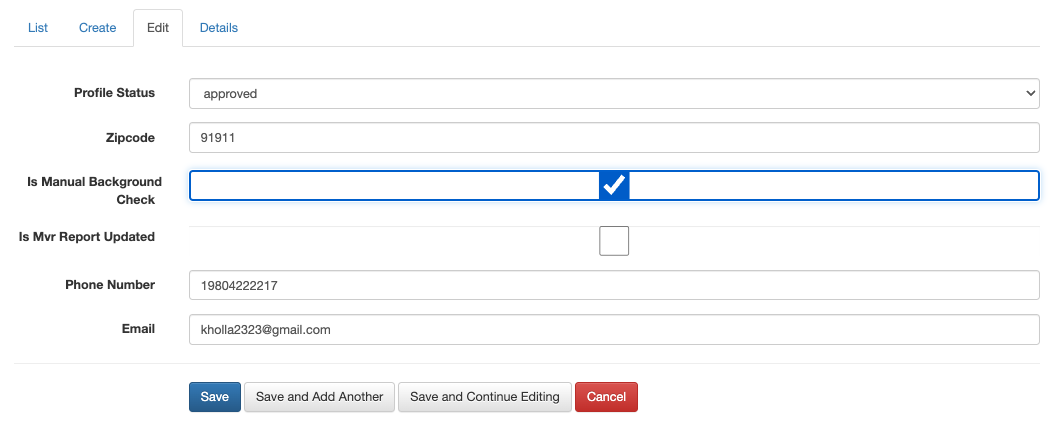
- Click EDIT
- Uncheck the box that says, "Is Manual Background Check"
Step 4: Resume Checks in Turn Admin

Step 5: Confirm in the Partner's Dashboard, that the profile has updated correctly.
Step 6: Complete Compliance Review process
Was this article helpful?
That’s Great!
Thank you for your feedback
Sorry! We couldn't be helpful
Thank you for your feedback
Feedback sent
We appreciate your effort and will try to fix the article