- Escalation Point: Why might CX find a Sex Offender Hit Before it is Reviewed by Compliance?
- False Positive Sex Offender Hits
- Sex Offender Review
- Sex Offender Dispute
Escalation Point: Why might CX find a Sex Offender Hit Before it is Reviewed by Compliance?
A Sex Offender hit can be found in the Turn Admin and the Partners Dashboard before the BGC report is delivered. This includes but is not limited to when:
The applicant has a mismatch in their SSN Trace check and a ticket is raised in Freshdesk. After receiving the applicant’s photo ID, the Support agent resumes checks and reviews the Partners Dashboard to confirm all is processing as expected.
The applicant has an error with their MVR check and a ticket is raised in Freshdesk. The Support agent accesses the report in the Partners Dashboard to review it.
The applicant has a PA MVR check. The Support agent accesses the report in the Partners Dashboard to confirm all other checks have been processed as expected.
The Turn ID has a Failed to Request County Check ticket in Freshdesk, and the manual flag is removed by the Support agent to review the report from the Partners Dashboard.
The partner has requested Turn to perform Compliance Review, so a Freshdesk ticket is created every time there are hits found on their applicants. The Support agent reviews the hits shown in the report from the Partners Dashboard to adjudicate applicants on behalf of the partner.
When a Sex Offender hit is found by CX before the BGC is completed, the agent must reach out to Fernanda and assign her the ticket. DO NOT resume checks.
False Positive Sex Offender Hits
False Positive Sex Offender hits are shown in our background check (BGC) reports because of multiple reasons. There could be another individual who shares the same name, birthday, or even city.
When a hit is found, Turn will review the information manually before releasing the background report. This helps us prevent a terrible experience for someone who could receive this on their background check in error.
Sex Offender Review
A ticket is created with the subject line: Compliance Review Requested for Candidate from [PARTNER NAME].
This happens when an applicant's background check includes a hit from the Sex Offender Registry.
SLA: 72 Hrs
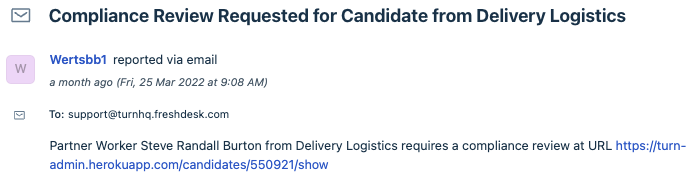
Step 1: Confirm in Turn Admin that the BGC is in Review
- If the status wasn't already in Review, a ticket will be created when the status is changed in Turn Admin. If the status is changed in Flask, a ticket will need to be created manually.
Step 2: Obtain an ID
- Search FreshDesk using the Turn ID to see if an ID has already been received.
- Search Turn Admin and Flask to see if another BGC has been completed for the same applicant. An ID may be present on another ticket.
- Search Grasshopper to see if an ID was submitted via SMS.
- If an ID is not found, please request a valid ID via email and text message.
Step 3: Locate the FACT and NCIS Reports
- Sign into IEI/Appriss: https://innovativedatasolutions.com/Search.aspx#
- Because a report has already been ran for this applicant, choose HISTORY.
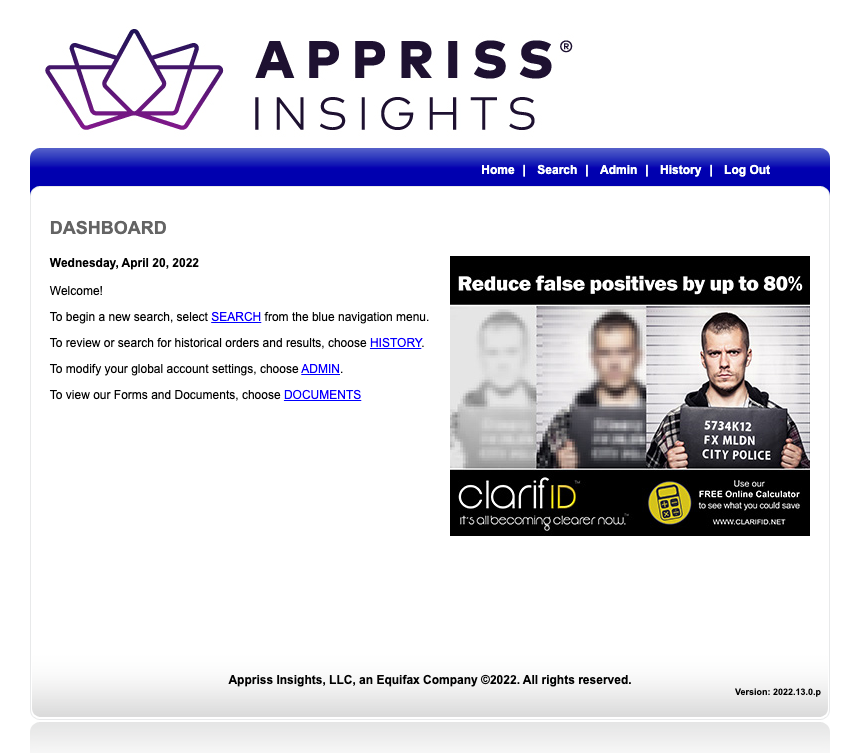
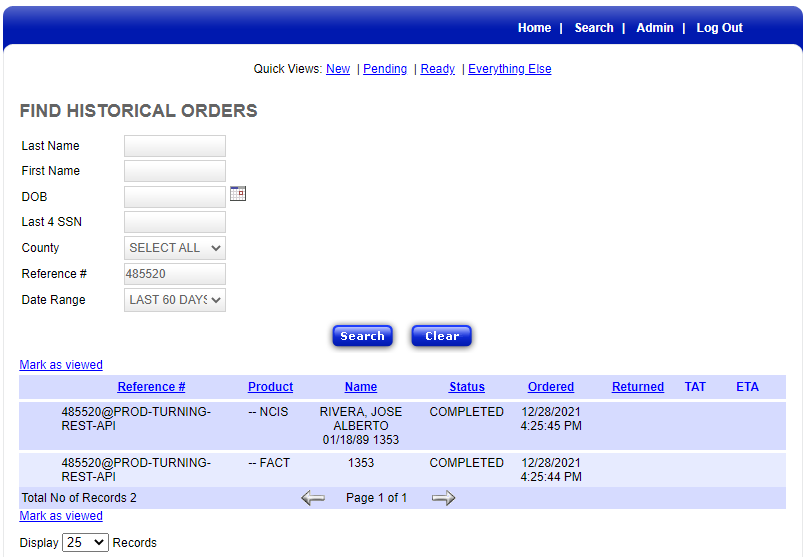
- Search for the reports using the applicant's 6 digit ID from Turn Admin as the Reference #
- The reports will only be accessible if they were ran within the last 60 days.
Step 4: Take Screenshots of the FACT and NCIS Reports.
- Paste the screenshots in an internal note inside the FreshDesk ticket.
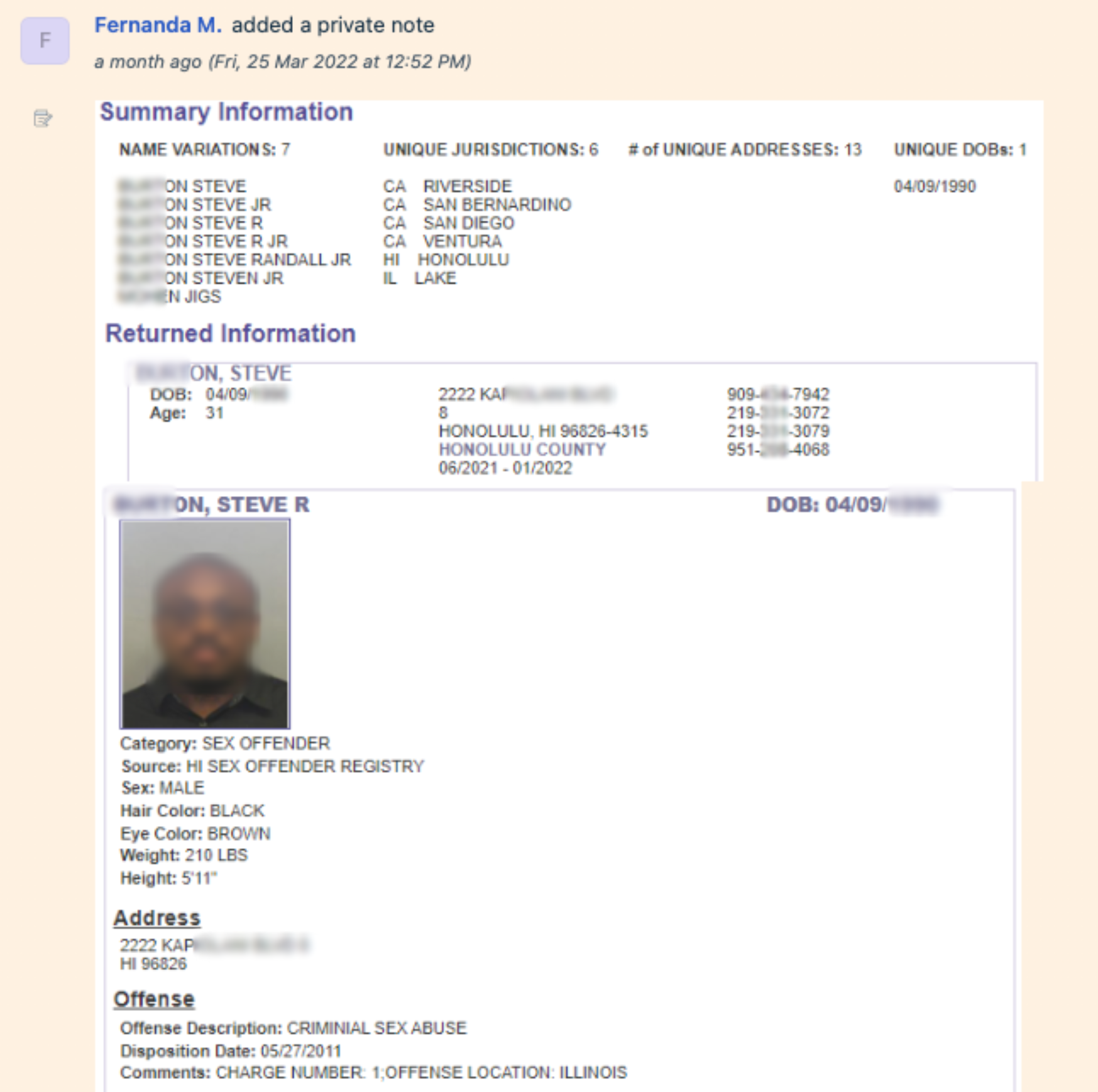
Step 5: Compare the information on the FACT and NCIS Reports.
- FACT Report:
- Verify the applicant's name variations and address with the photo ID if provided.
- NCIS Report:
- Compare the photo from the report with the photo ID.
- Full legal name and aliases
- DOB or YOB (Year of Birth) - Most sex offender registers do not provide full DOB.
- Address
- Physical Description
- Offenses
Step 6: Search for the applicant on the National Sex Offender Public Website
- https://www.nsopw.gov/
- Search using the first and last names
Step 7: Search for the applicant on the State's Sex Offender Registry, where the hit occurred.
- State Sex Offender Registry websites can be found on FBI.gov (below) or by a simple Google Search.
- https://www.fbi.gov/scams-and-safety/sex-offender-registry
- Download the full report and include it in the FD ticket.
Step 8: Determine if the hit was a False Positive or if the hit was accurate.
- False Positive:
- If the information does not match, and the applicant was mistakenly identified as a sex offender, we will remove the hit from the report.
- In Turn Admin, navigate to the SEXOFFENDER tab.
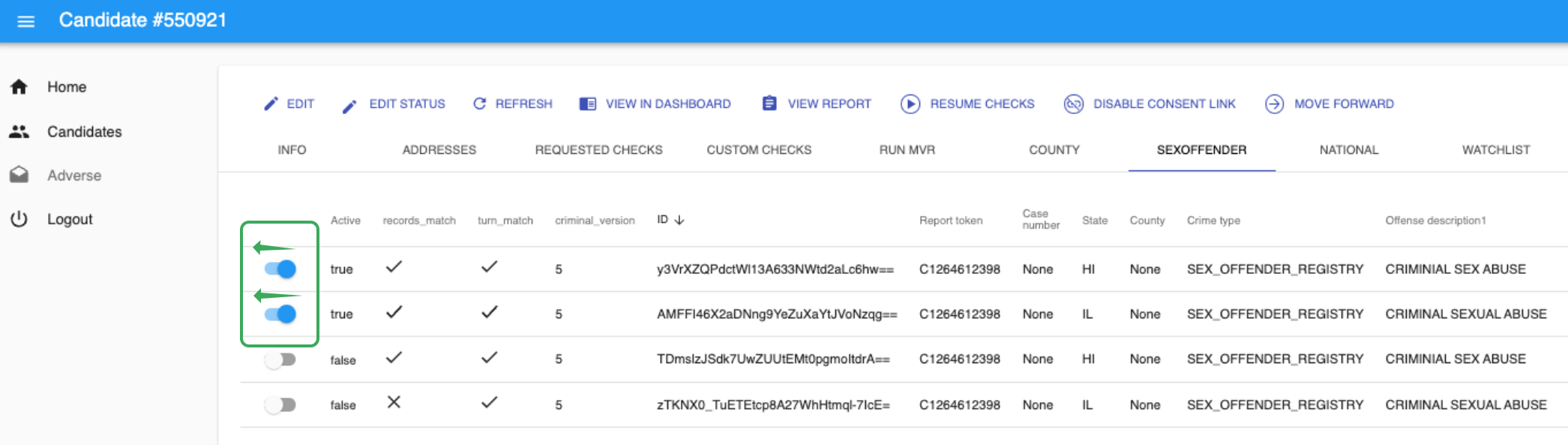
- Slide the toggle associated with the hit(s) to the left. This will prevent the charges from appearing on the Partner's Dashboard.
- Add an internal note to the Freshdesk ticket:
- Include your results from the investigation:

- Include your results from the investigation:
- Sex Offender Hit was Accurate:
- If the information matched the applicant's details based on our investigation, the hit was not a False Positive.
- Add an internal note to the Freshdesk ticket:
- Include the conclusion from the reinvestigation.
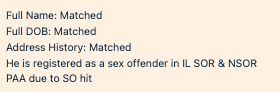
- Include the conclusion from the reinvestigation.
Step 9: Next Steps
- Depending on the partner, and the rest of the BGC, the status will be changed to CONSIDER or REVIEW.
- If Adjudication is required by a partner, Fernanda will Adjudicate and complete the process.
Sex Offender Dispute
If an applicant contacts us to dispute the Sex Offender hit, we will conduct a thorough reinvestigation. They will either contact us through email or by leaving a voicemail.
SLA: 30 Days
Email: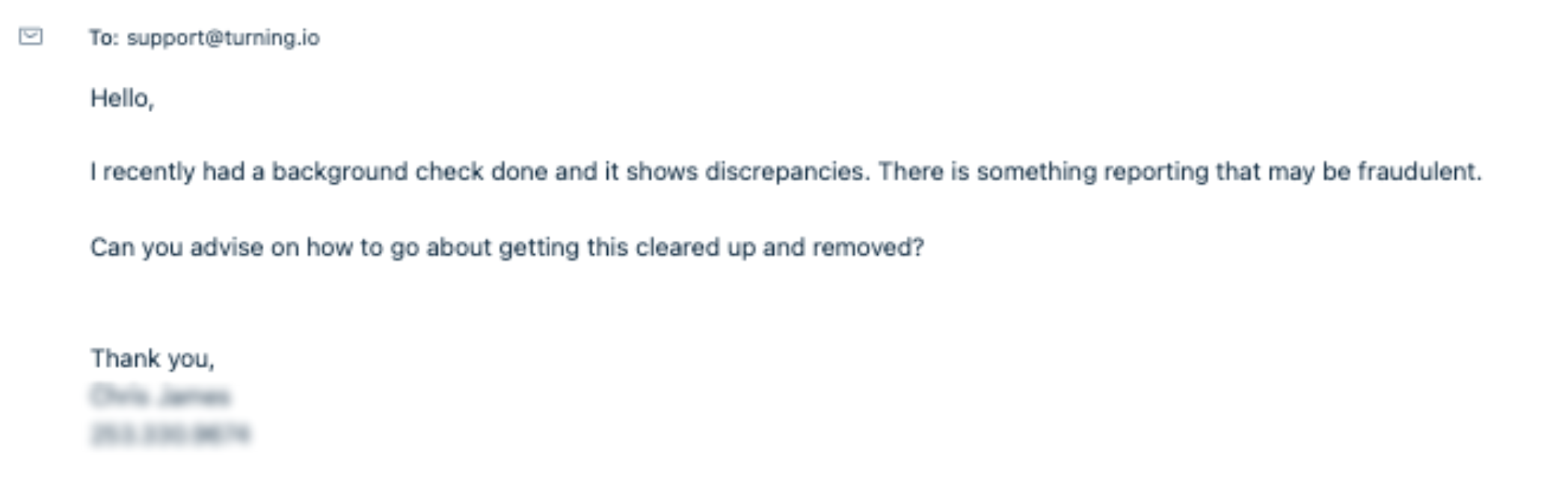 Voicemail through Grasshopper:
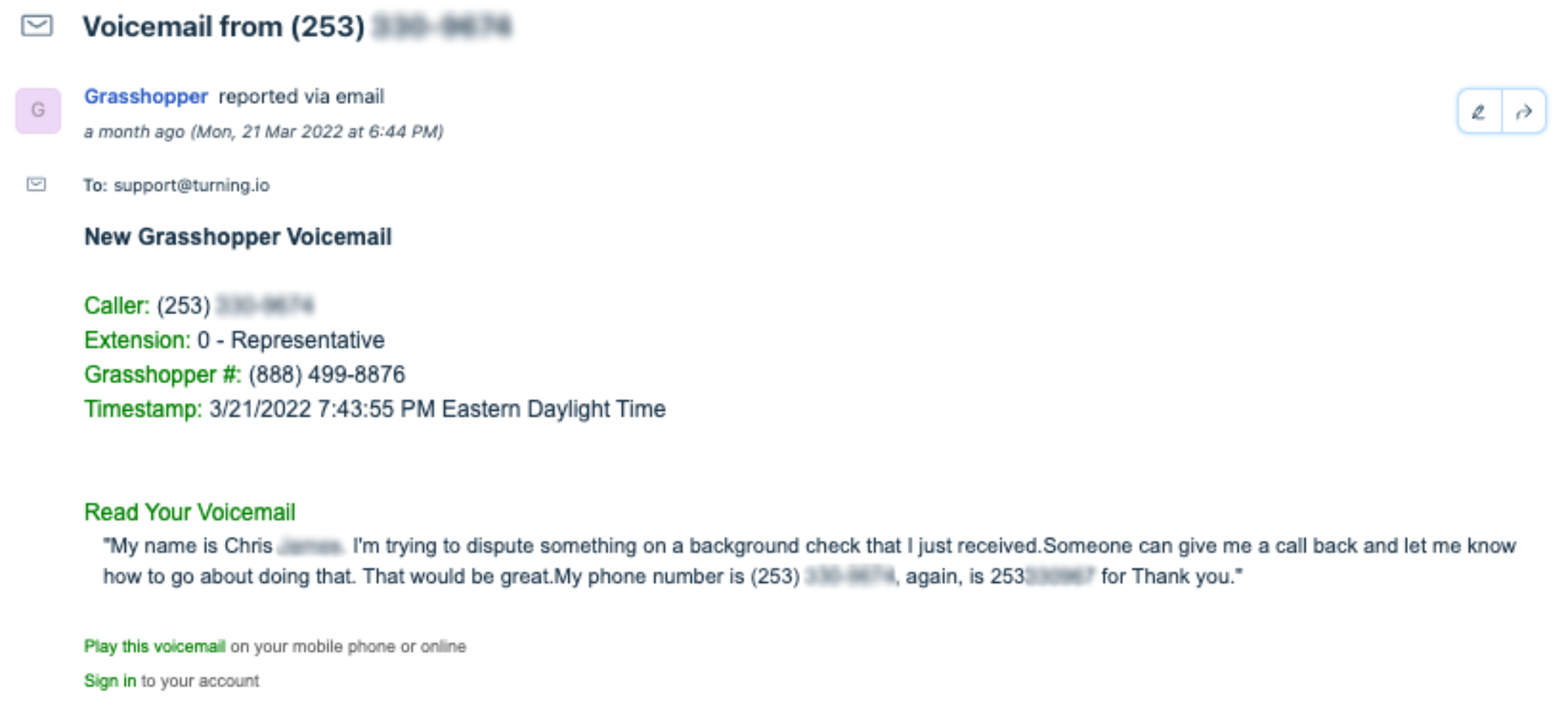
Step 1: Reinvestigate
Repeat Steps 1-7 of the Sex Offender Review process.
- If an applicant is disputing a Sex Offender hit, we want to make sure that we are thoroughly reviewing all information that is available to us.
- Pay close attention to the applicant's full legal name, address history, and aliases.
Step 2: Determine if the hit was a False Positive or if the hit was accurate.
- False Positive:
- If the information does not match, and the applicant was mistakenly identified as a sex offender, we will remove the hit from the report.
- In Turn Admin, navigate to the SEXOFFENDER tab.
- Slide the toggle associated with the hit(s) to the left. This will prevent the charges from appearing on the Partner's Dashboard.
- Add an internal note to the Freshdesk ticket:
- Include your results from the investigation:

- Include your results from the investigation:
- Send a response and include a link to the updated report and attach the PDF: A Summary of Your Rights Under FCRA
- Sex Offender Hit was Accurate:
- If the information matched the applicant's details based on our investigation, the hit was not a False Positive.
- Add an internal note to the Freshdesk ticket:
- Include the conclusion from the reinvestigation.
- Send a response and include a link to the updated report and attach the PDF: A Summary of Your Rights Under FCRA.
Hi James,
The reinvestigation is complete. We were unable to remove the disputed charge from your background check.
If you would like to access your report, please click HERE. You can also download a copy for your records.
Please find a summary of your FCRA rights attached to for your review.
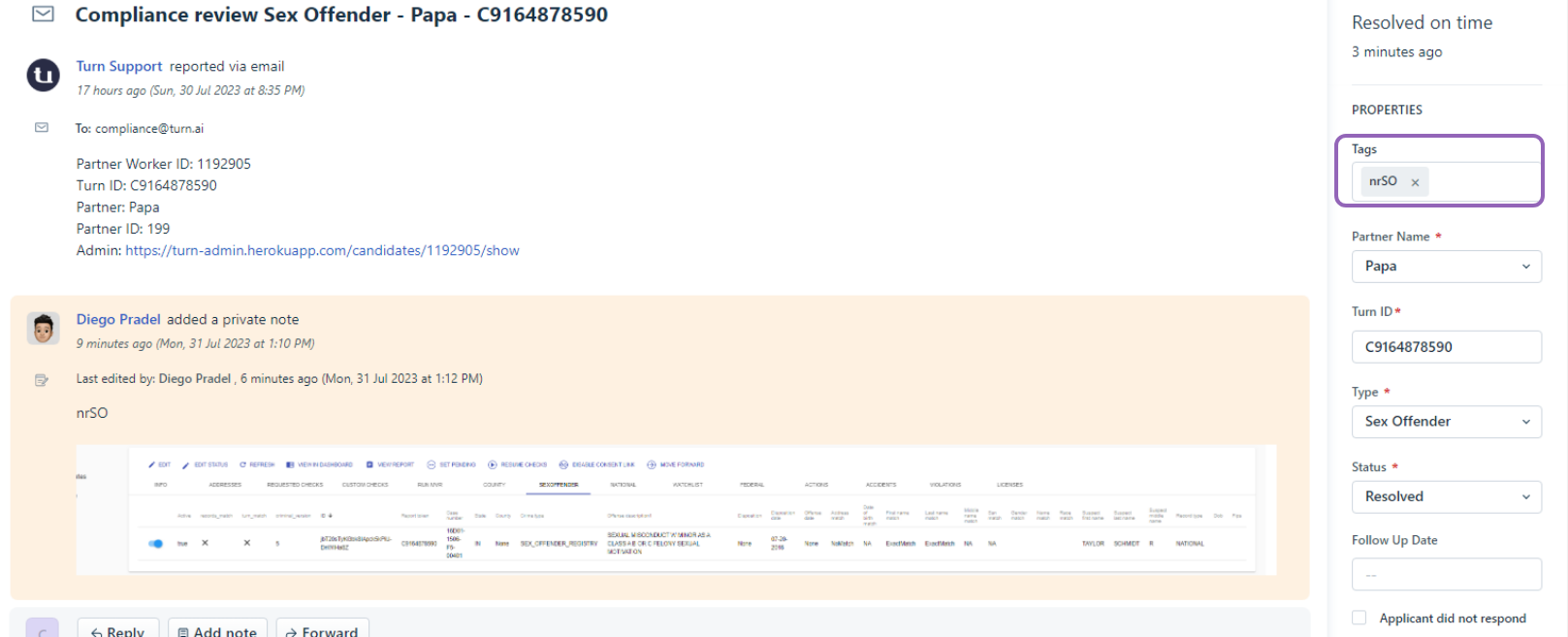
- Fo Not Reportable Sex Offender: Please open the profile and if it shows record_match and turn_match with "x", make a screenshot from TA, and add the tag "nrSO" so we'll know they won't report those hits:
- Paste the screenshot to the ticket
- Add the tag in "nrSO"
- Move the profile to the proper status
- Fill in the ticket propertied
- Resolve the ticket
nrSO

Was this article helpful?
That’s Great!
Thank you for your feedback
Sorry! We couldn't be helpful
Thank you for your feedback
Feedback sent
We appreciate your effort and will try to fix the article