In Flask, go to:
- Organization > Partner Worker
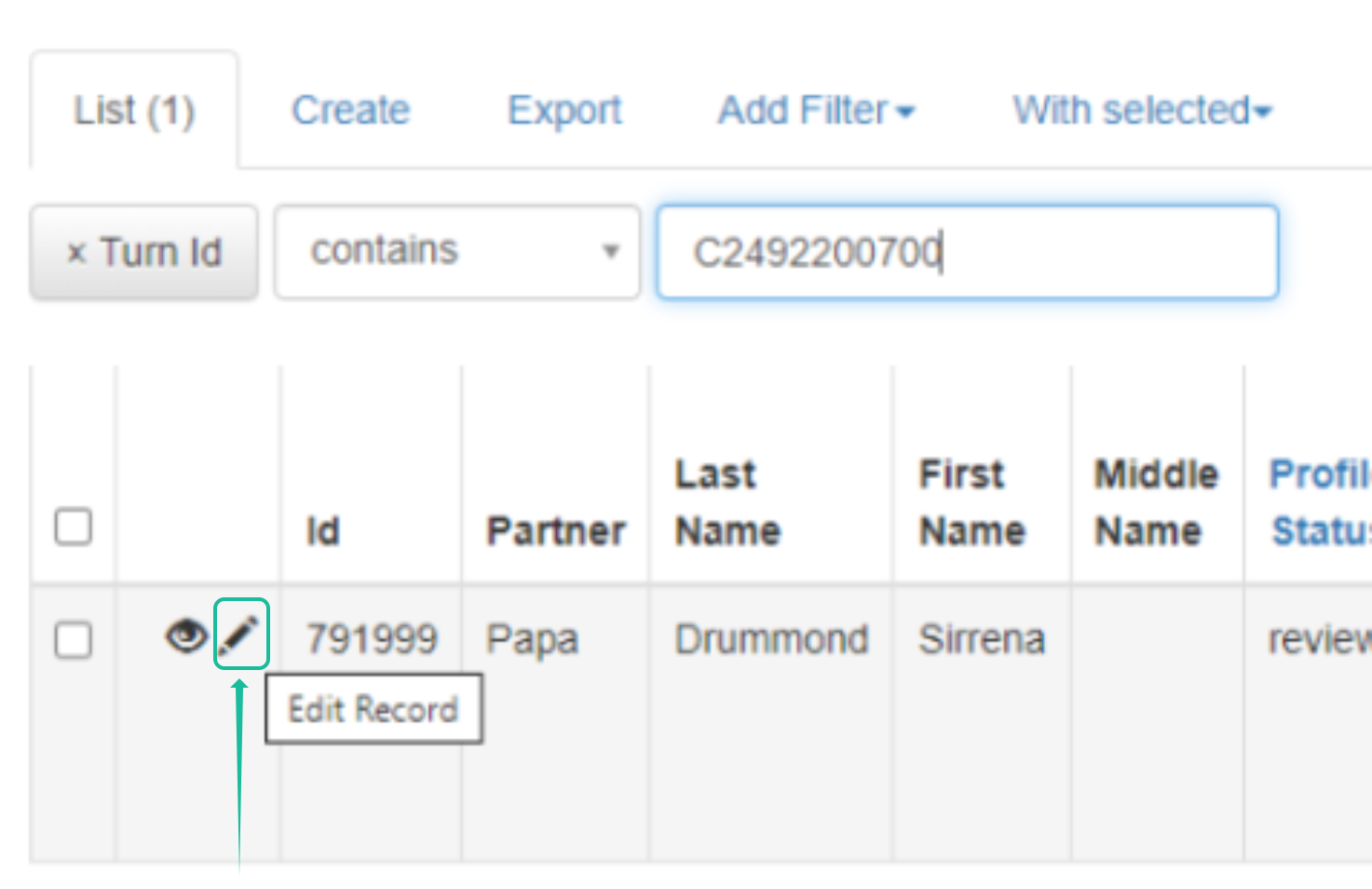
- Search with the Turn ID
- Click the pencil icon
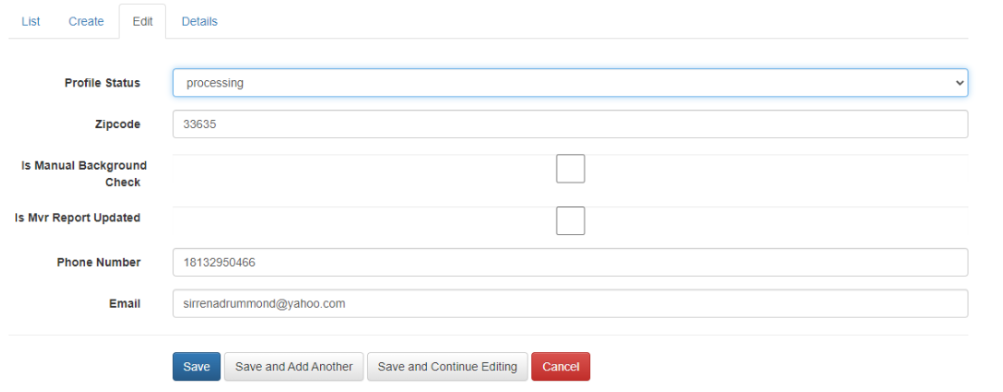
- Update the Profile Status and click Save.
- Review the Partner Dashboard to confirm that the status has changed.
Was this article helpful?
That’s Great!
Thank you for your feedback
Sorry! We couldn't be helpful
Thank you for your feedback
Feedback sent
We appreciate your effort and will try to fix the article