ADVERSE ACTION PROCESS
If the Applicant does not dispute the information contained in their background check within the next 7 business days, the Compliance Agent will send the Adverse Action letter.
The aforementioned does not apply to our partner AXLEHIRE, for them, the Adverse Action Letter will be sent in the next 10 BUSINESS DAYS.
Este paso tampoco aplica para los partners Delivery Logistics y Delivery Dudes
IMPORTANT: If the applicant resides in Los Angeles or New York City, please assign the ticket to Jimena specifying the city in the ticket notes.
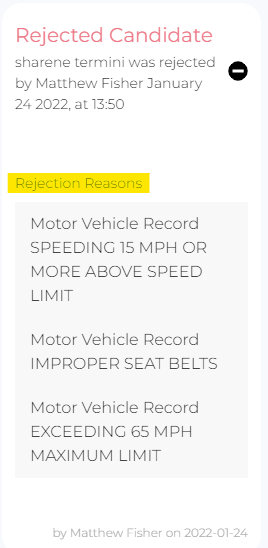
The above applies ONLY for CRIMINAL records. If the rejection reason is due to an MVR hits Compliance agent should proceed by sending the PAA letter.
*Notas importantes:
- Siempre debemos buscar muy bien que el applicant no tenga ningún dispute pendiente, tanto en Freshdesk, como en nuestro internal sheet en la tab de disputes.
- Si el applicant hizo dispute, vamos a marcar el check en el profile del applicant:
- Click on “Edit dispute”

- Click on “Yes”
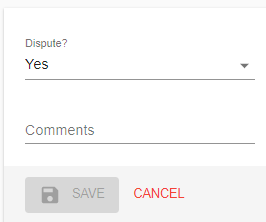
- En “comments” vamos a ingresar la fecha en que el applicant hizo dispute: dispute was made on (insert date month/day/year)
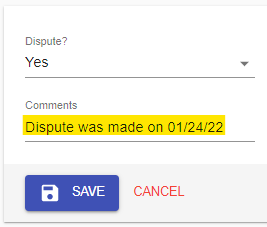
- Click on “Save”
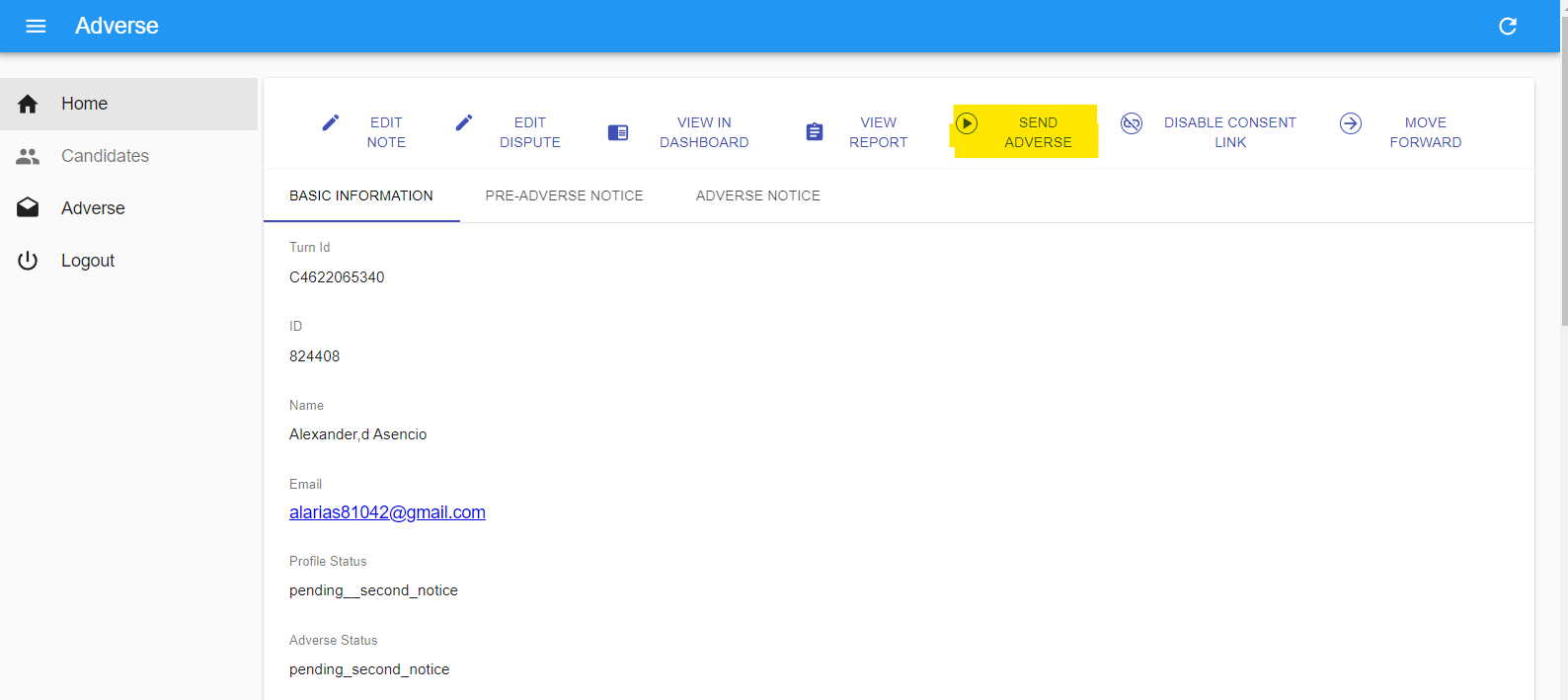
In order to send the Adverse Action letter, the Compliance Agent will do the following:
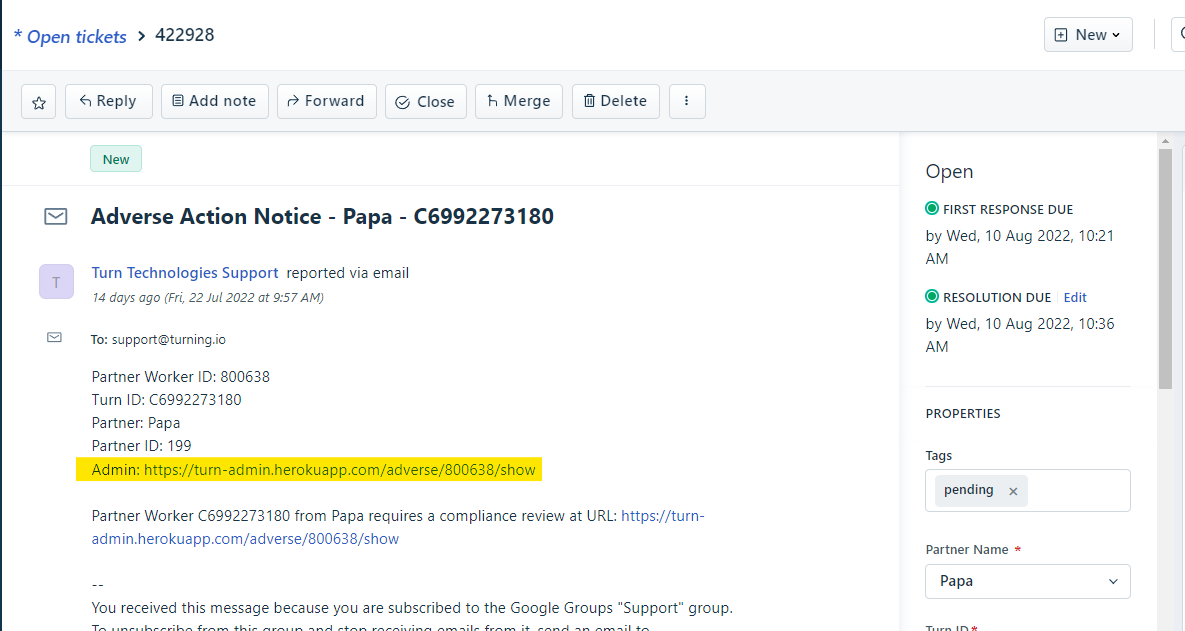
The Compliance Agent receives a ticket in Freshdesk with the title “Adverse Notice - Partner Name - Turn ID”

Open the ticket and click on Turn Admin link
Click on “Send Adverse”
Back to the ticket in Freshdesk and fill the properties:
Tag: Sent
Status: Resolved
Click on update to save the information.
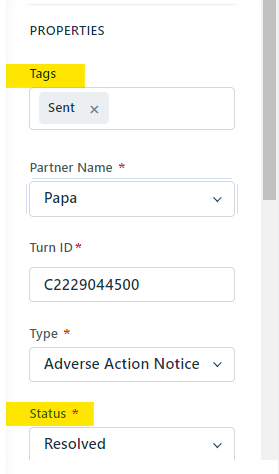
Una vez enviada la carta, el status del applicant cambiará de forma automática a rejected.
ADVERSE ACTION PROCESS FOR DELIVERY LOGISTICS AND DELIVERY DUDES
The Compliance Agent will receive a ticket in Freshdesk with the title “Adverse Notice- Partner Name - Turn ID”

Open the ticket and click on the Turn Admin link
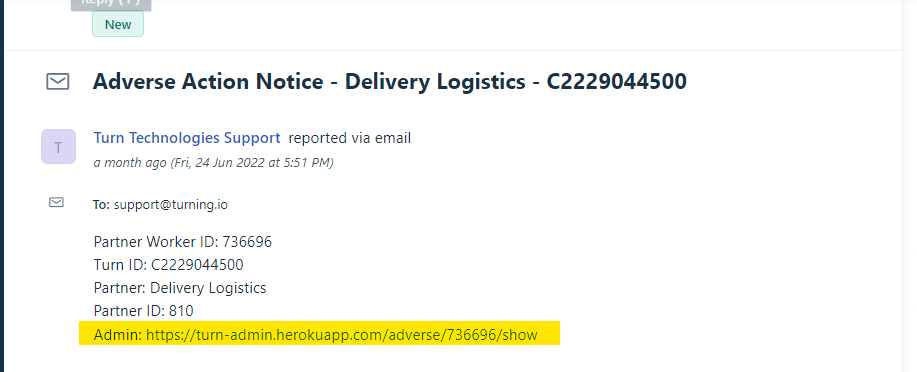
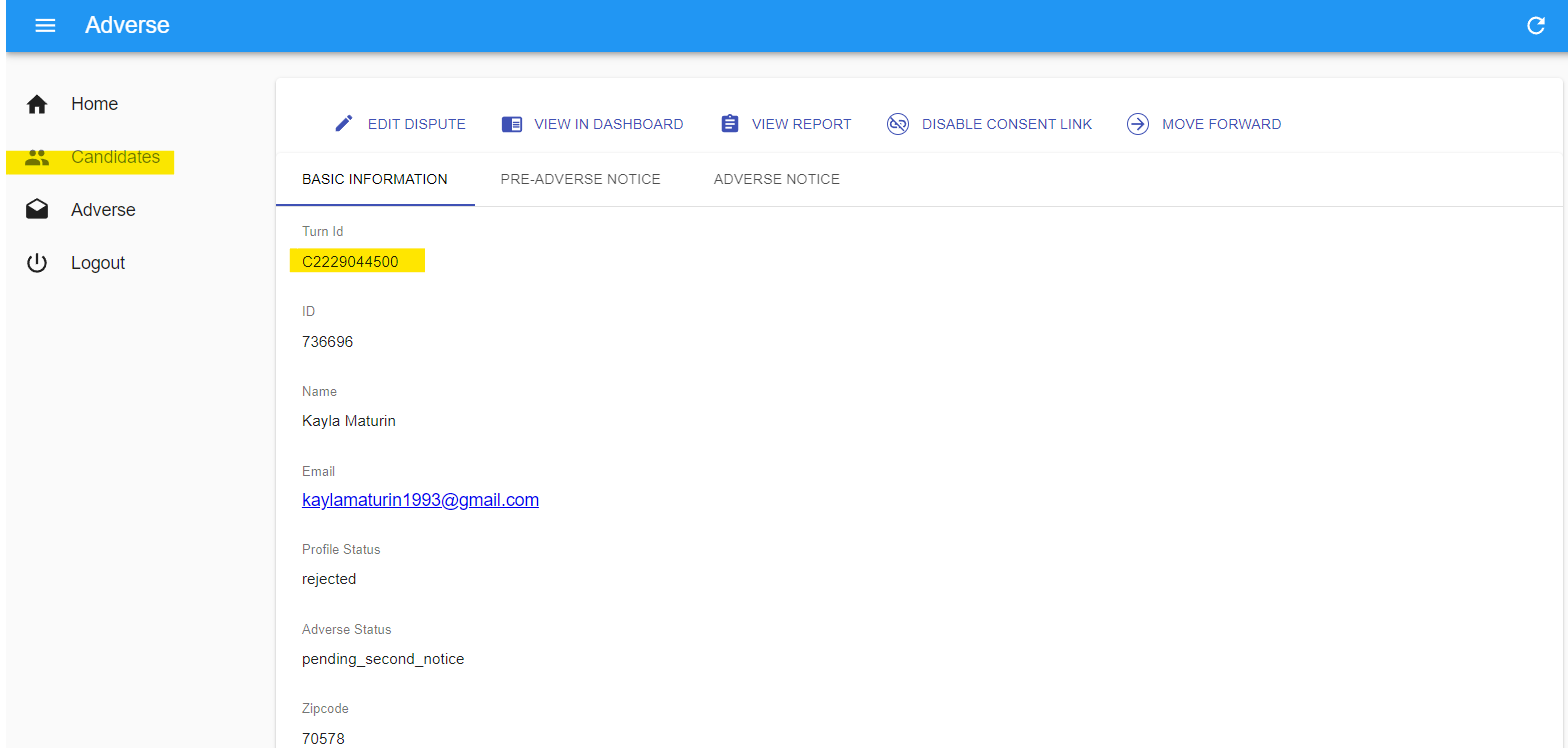
Copy the Turn ID and then go to the “Candidates” section
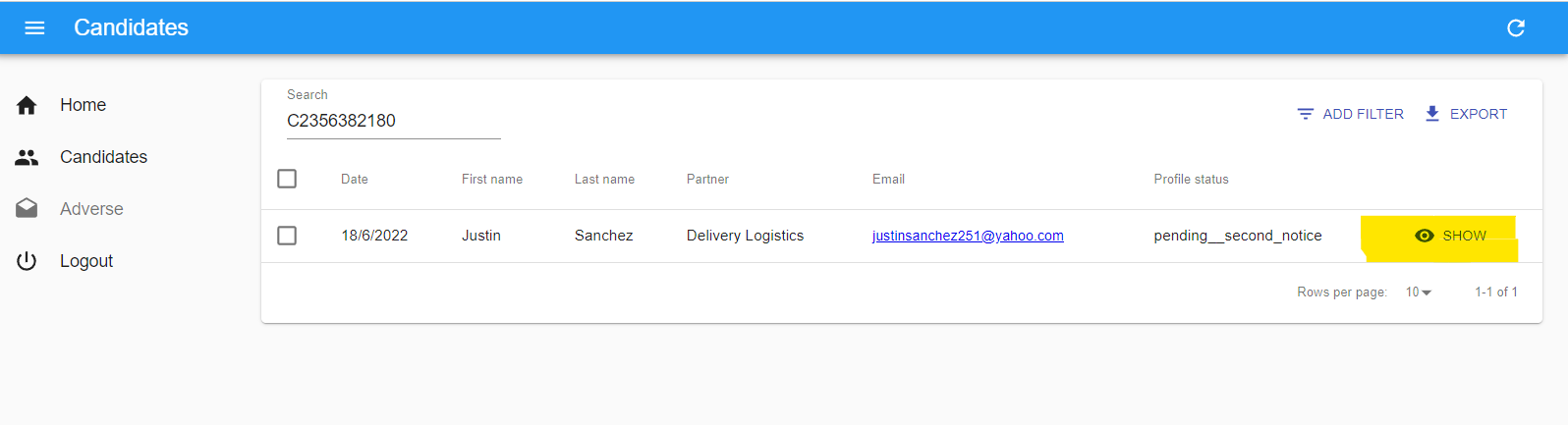
Paste the Turn ID on the search bar, and click on “Show”. The Profile Status has to be pending_second_notice.
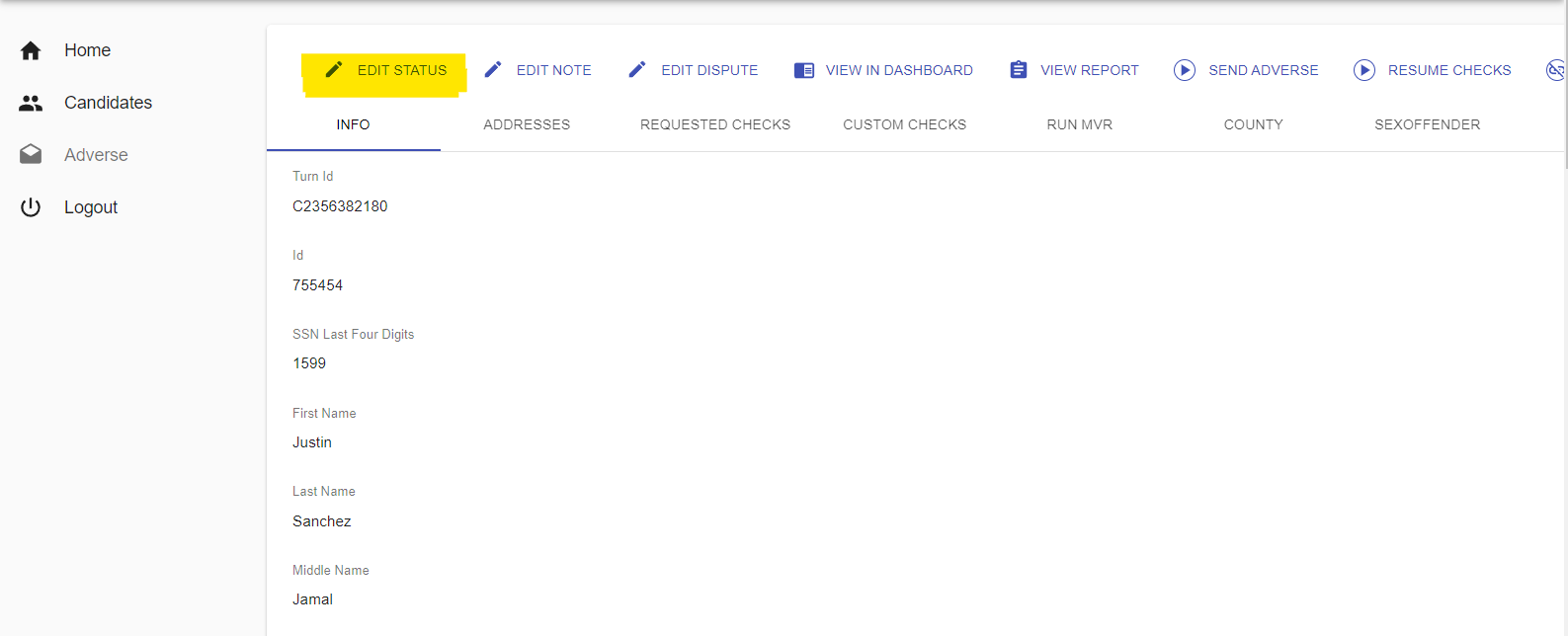
Click on “Edit Status” to change the status
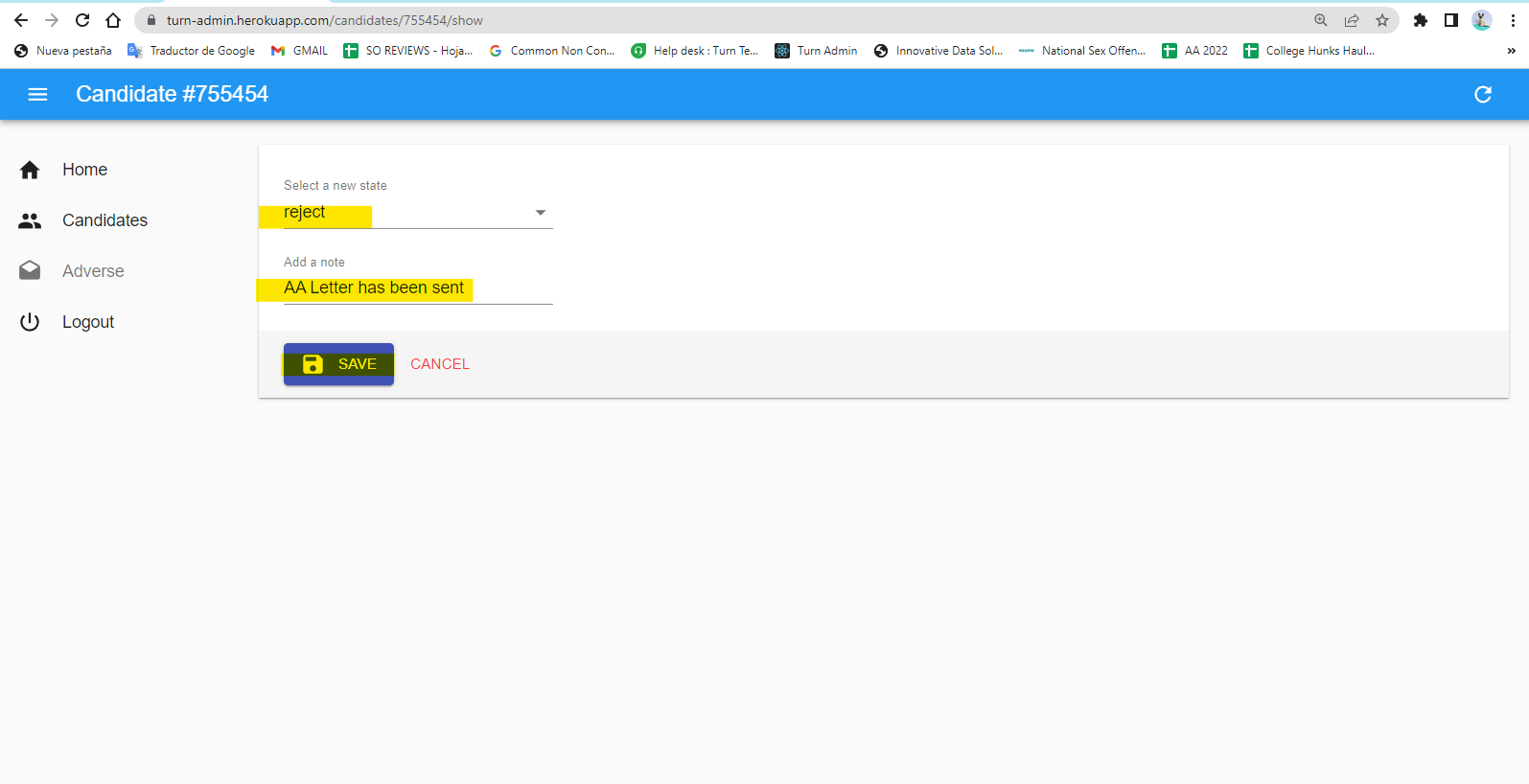
Click on “Select a new state” and choose the option “reject” and add the note: “AA letter has been sent”
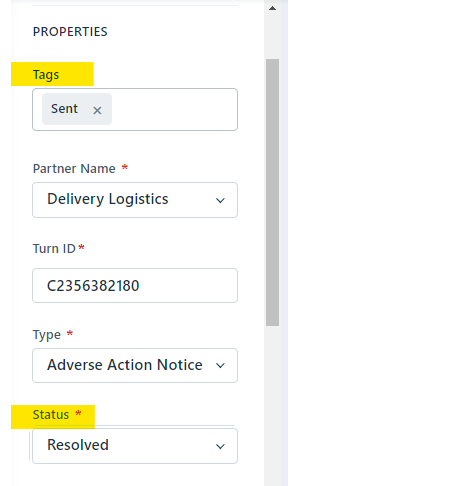
Back to the ticket in Freshdesk and fill the next information:
Tag: Rejected
Status: Resolved
Click on update to save the information.
*IMPORTANT NOTES FOR PRE ADVERSE ACTION AND ADVERSE ACTION PROCESSES.
The AA letter, siempre será enviada 7 business days después de haberse enviado la PAA letter.
Para Axlehire la AA letter será enviada 10 business days después de haberse enviado la PAA letter.
The follow up date for Delivery Logistics and Delivery Dudes is 30 calendar days
Para el partner Rinse (MVR Only) la rejected reason se obtendrá directamente del Partner Dashboard, la cual vamos a copiar y pegar tal cual.
Estos pasos no aplican para los partners Delivery Logistics y Delivery Dudes, en el caso específico de este partner, se sigue otro procedimiento de Adverse Action.
Jamás se deberá enviar la PAA - AA letter si el applicant está en proceso de dispute.
Avisar a Jimena cuando tengamos una PAA letter de Los Angeles o New York City (Applicable only for criminal records)
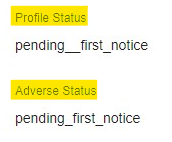
Antes de enviar la carta siempre debemos revisar que el status sea el mismo en Profile Status and Adverse Status: (si el status no es el mismo en ambos campos no podremos enviar la carta)
Was this article helpful?
That’s Great!
Thank you for your feedback
Sorry! We couldn't be helpful
Thank you for your feedback
Feedback sent
We appreciate your effort and will try to fix the article