VERIFYING
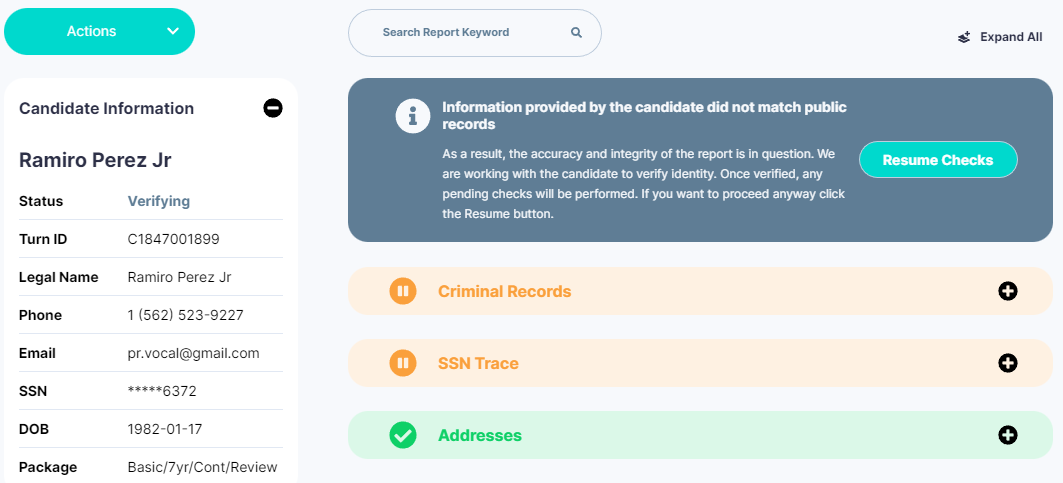
The Partner Dashboard will display a new status of Verifying when we need to verify the applicant details before the background check can be processed.
The data in the application was flagged due to information mismatch or inaccuracies. Our CX Team will work directly with the candidate to update their data to resume the check. Internally, these background checks will create a Verify Applicant Details ticket in Freshdesk.
Partner Dashboard will show: Verifying 
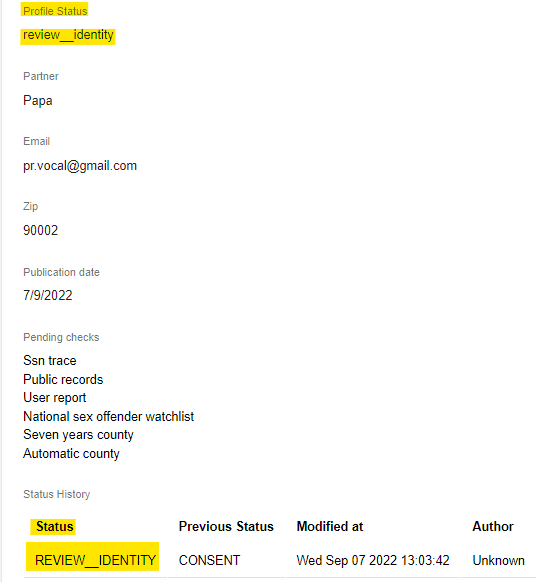
Turn Admin will show: REVIEW_IDENTITY
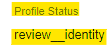
Flask will show: review__identity
COMPLIANCE REVIEW
The Partner Dashboard will display a new status of Compliance Review when there was information collected in the background check that requires manual review by our Compliance Team.
REVIEW_MVR / Compliance Review:
Potentially adverse information may have been found while conducting the Motor Vehicle Report (MVR). Before the report is shared, Compliance Team will review the information for accuracy and provide adjudication if included in the package.


REVIEW_QA / Compliance Review:
Potentially adverse information may have been found in the Criminal Records. Before the report is shared, Compliance Team will review the information for accuracy and provide adjudication if included in the package.


Partner Dashboard will show: Compliance Review 
Turn Admin will show: REVIEW_MVR or REVIEW_QA
Flask will show: review__mvr or review__qa
Was this article helpful?
That’s Great!
Thank you for your feedback
Sorry! We couldn't be helpful
Thank you for your feedback
Feedback sent
We appreciate your effort and will try to fix the article