Use this process when a Freshdesk ticket is received for a report/package that includes a credit check.
Overview
Due to applicable New York state law, consumer credit reports may not be obtained, requested, or used for individuals who are residents of New York.
Important Notice: In compliance with applicable New York state law, consumer credit reports may not be obtained, requested, or used for individuals who are residents of New York.

If you would like to review the complete Compliance article, click HERE.
Step 1: Review the Freshdesk Ticket
- When a ticket is received in Freshdesk, confirm whether the request or package includes a credit check.
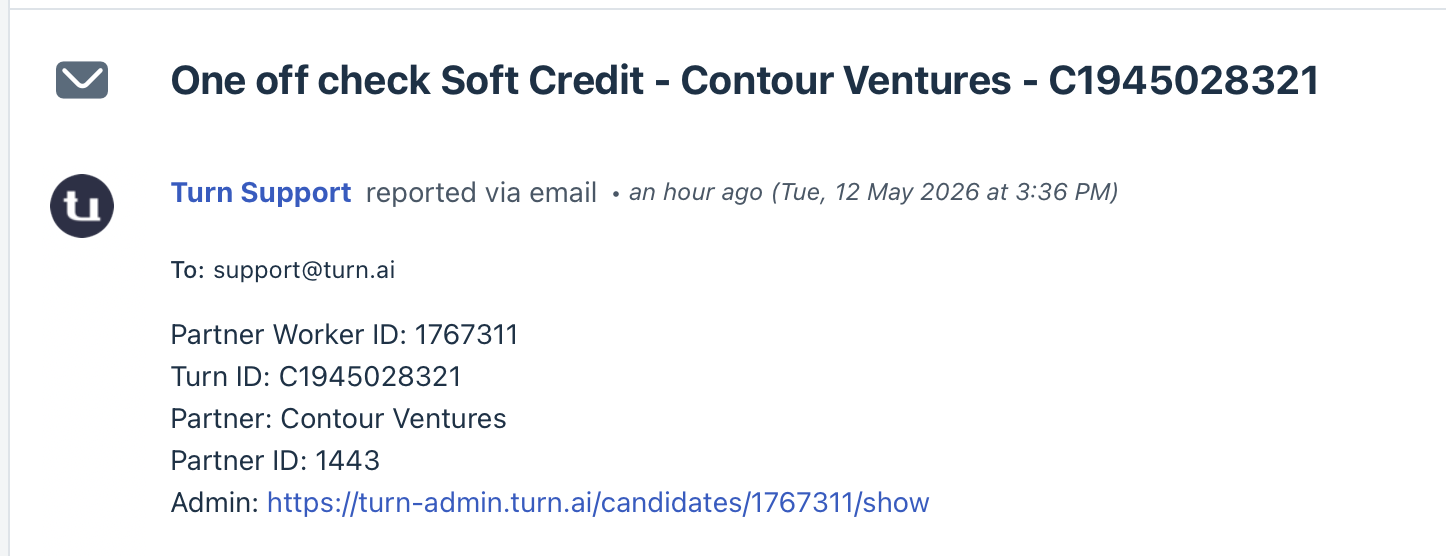
Step 2: Review the Applicant in Turn Admin
- Open the applicant profile in Turn Admin.
- Click Addresses and review whether any listed address is located in New York.
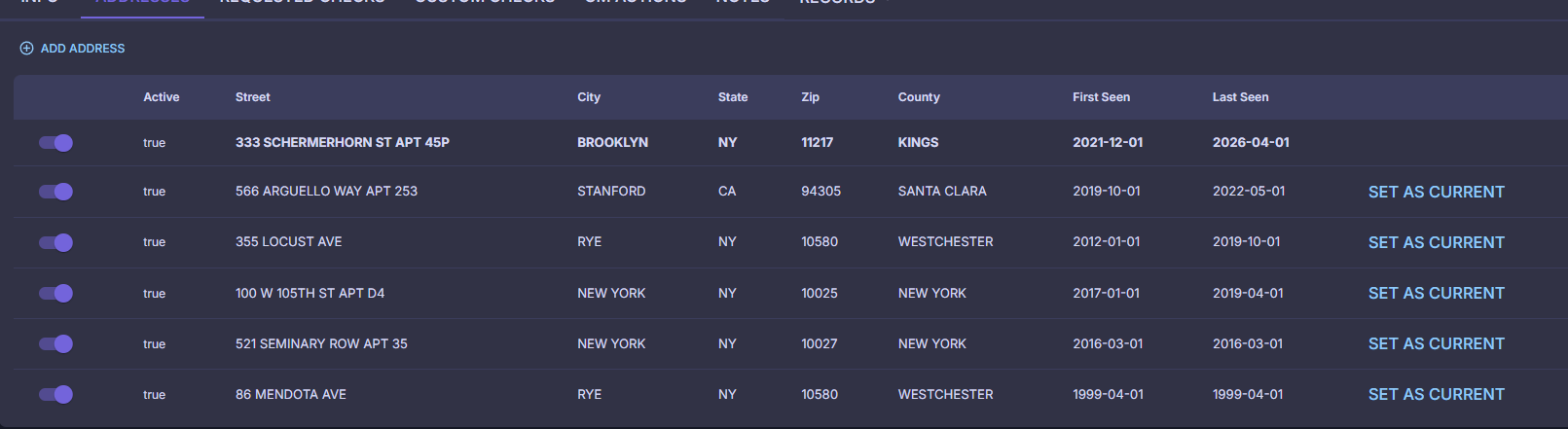
Step 3: Review ID document, if Available
- If the applicant has an ID available in Turn Admin, review the address listed on the ID.
- Use the applicant’s address information to determine whether the applicant resides in New York.
Step 4: Determine Next Action
If the applicant does not reside in New York:
Proceed with the requested credit check.
If the applicant resides in New York:
Do not proceed with the credit check.
Take the following actions:
- Withdraw the credit check.
- Upload a PDF with the following notice:
Important Notice: In compliance with applicable New York state law, consumer credit reports may not be obtained, requested, or used for individuals who are residents of New York.- Leave a note in PD.
- Attach the PDF to the Freshdesk ticket.
- Add notes to the Freshdesk ticket.
- Apply the appropriate tag: Consider or Withdraw.
- Resolve the ticket.
- Ask CS to contact the partner using the canned response: NY Credit Checks.
Was this article helpful?
That’s Great!
Thank you for your feedback
Sorry! We couldn't be helpful
Thank you for your feedback
Feedback sent
We appreciate your effort and will try to fix the article