Andrew or Jordan will request in #compliance slack channel to enable the adverse action for a specific partner
Compliance Agent will:
Go to flask- https://prod-turning-rest-api.herokuapp.com/admin/
Click on “Adverse Action”
Click on “Partner Adverse Action Details”
Click on “Create”
Select the corresponding partner in “Partner” field
Fill contact name; email and title fields
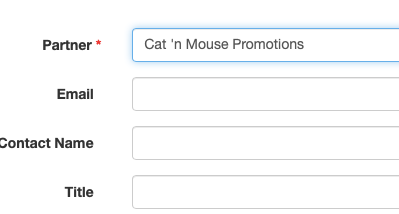
Click on “Save”
Review if the information was saved correctly.
Was this article helpful?
That’s Great!
Thank you for your feedback
Sorry! We couldn't be helpful
Thank you for your feedback
Feedback sent
We appreciate your effort and will try to fix the article